
ONE Work Clearance brings the current prerequisite position into one place before an authorised person decides whether the work can proceed.
ONE WORK CLEARANCE
Can this work start?
ONE Work Clearance is designed to bring current configured prerequisites into one readiness position so an authorised person can see what appears ready, what needs review and what should prevent release.
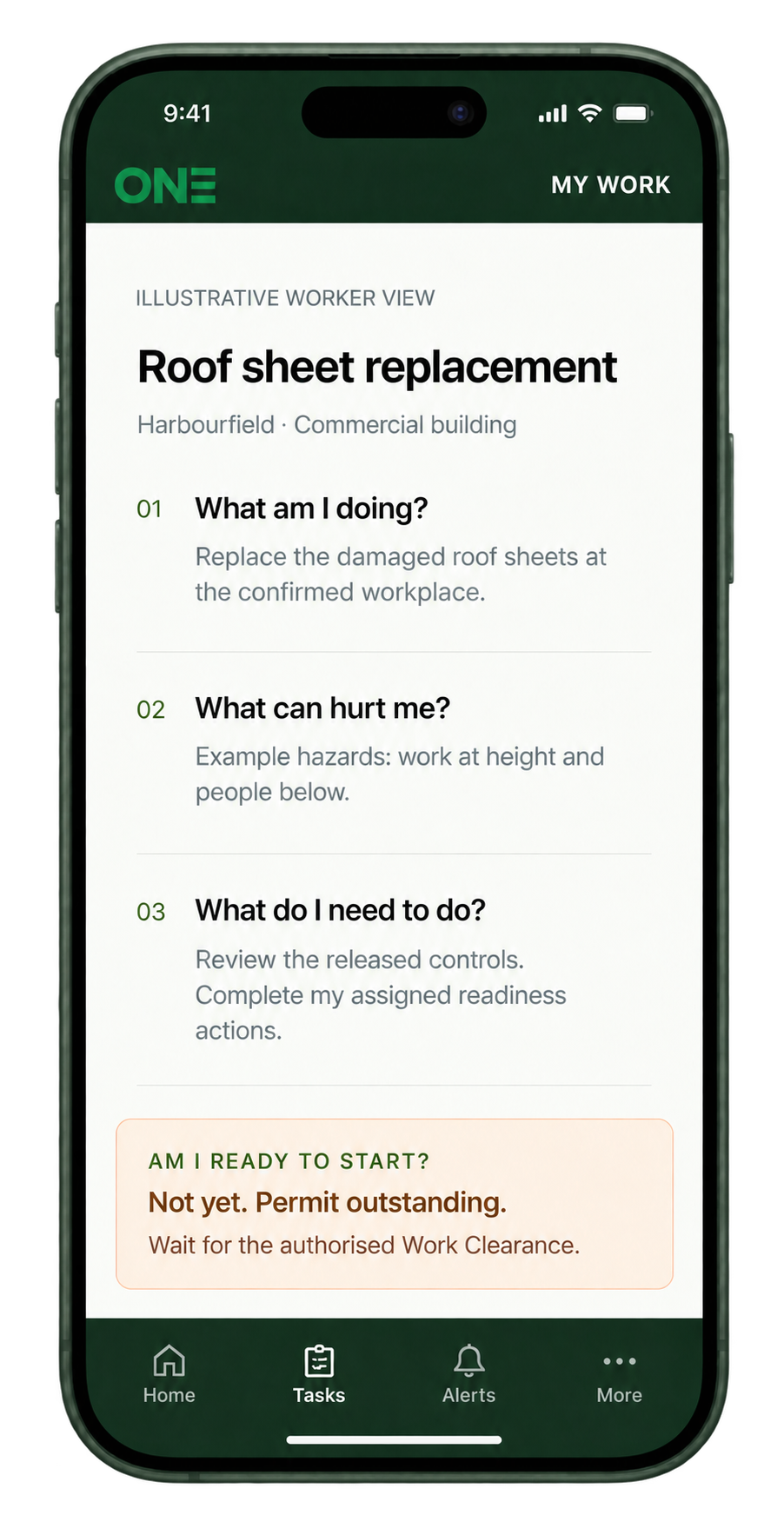
Workers open ONE through their access link on phone, tablet or computer. QR, assignment links and user-confirmed workplace selection can bring the relevant work into view; location alone does not establish readiness.
WORK CLEARANCEReady to start
Work Clearance
Released taskCurrent
Training & competencyCurrent
Permit / inductionComplete
Pre-startReview
ONEAuthorised decision remains human
IN PLAIN ENGLISH
Work Clearance is the human decision point at the end of the readiness check.
Without one clear checkpoint, supervisors can end up reconciling documents, licences, inductions, permits, plant and changed conditions in their head or across several systems.
If something is missing, ONE shows the reason. It does not silently turn an unknown into a green tick and it does not replace the person who has authority to decide.
ONE CLEAR POSITION
Ready. Review required. Do not start.
ONE gives the worker and authorised person one clear current readiness position and shows what must happen next. If information is missing, expired, conflicting or changed, ONE keeps the issue visible rather than assuming the work is ready.
✓
Ready
No further configured readiness action has been identified before starting, subject to the authorised decision and current conditions.
!
Review required
A material item is unresolved, changed, conflicting, expired or waiting for an authorised person. The next action must be visible.
×
Do not start
A configured hard blocker or missing required authority prevents release until the matter is resolved through the appropriate process.
WHAT ONE CAN BRING INTO VIEW
The prerequisite position around the actual work.
Not every item applies to every task. ONE is intended to connect the items required by the work and workplace.
Identity, competency and authority.
Licence, competency, training, assessment, role and authority where relevant.
Induction, access and local context.
Workplace, project, zone, client or principal-contractor requirements where applicable.
Released task controls and document pathway.
Correct task version, work instructions, SWMS where applicable, critical controls and evidence.
Required equipment and condition.
Plant availability, inspection status, defects and task-specific prerequisites.
Operational authorisations.
Required permits, conditions, expiry and authorised issue where the work triggers them.
Current conditions and re-evaluation.
Material changes can bring affected work back into view rather than relying on yesterday’s status.
WHAT MUST BE READY BEFORE START WORK?
ONE shows the missing gate instead of making the supervisor reconcile everything in their head.
Released controlled taskWorker View read & acknowledgedTraining currentAssessment / competency currentRequired induction completeRequired permit activePermit sign-on completeToolbox participation completePre-start completeNo unresolved blocking hazard / issueRequired client / site condition satisfied
NOT READY — 2 things to complete
Complete Site InductionComplete Pre-Start
READY TO WORK
If a permit expires, a licence becomes invalid, a critical control fails or conditions materially change, ONE re-evaluates the current clearance and can hold affected work until the required response is complete.
START, STOP, RESUME, COMPLETE
Work Clearance is a current position — not a once-only green tick.
A worker can indicate that they are ready to begin the readiness sequence after reviewing the Worker App view, but ONE should not treat that as actual work commencement. The real Start work action appears only after the applicable pre-start and Work Clearance pathway is satisfied. A person may later need to pause or stop because a permit, induction, hazard, plant condition or other prerequisite changes.
Ready to proceed.
After the applicable prerequisites and authorised Work Clearance pathway are satisfied, the worker can press Start work and ONE records the actual commencement time.
Something important is unresolved.
A mandatory induction, permit, critical control or other hard-stop item can prevent the work from being treated as ready.
Conditions changed.
ONE shows what changed and what needs to be resolved before the appropriate person decides whether the work can resume.
AFTER THE PHYSICAL WORKWork complete moves the task into close-out — it does not erase the readiness history.
See how the task closes →Post-task checks, permit close-out, defects, hazards and supervisor verification can remain open until the task reaches its final Closed state.
COMMON QUESTIONS
Questions about this part of ONE.
Open only the question that matters to you.
Does READY TO START mean ONE guarantees the work is safe?
No. Work Clearance is a controlled readiness status based on configured facts, evidence and authorised release. It supports the authorised work decision; it does not replace the duty-holder.
What can stop work from starting?
Missing, failed, expired, conflicting or changed prerequisites can result in DO NOT START or AUTHORISED REVIEW REQUIRED, depending on the controlled rule.
Can the status change after work starts?
Yes. A hazard, permit suspension, failed control or material change can move the work into pause/review and require an authorised decision before resuming.
I still have another question. What should I do?
Use the green Ask ONE button or the full ONE FAQs first. Register Interest is for joining a ONE pathway, not routine product questions.
WHAT NEEDS TO BE READY
Explore Safety Intelligence Relevant controlled requirements can help show what needs attention before work starts.
Bring approved requirements into view with the work, so missing information and prerequisites are easier to identify before an authorised person decides whether it can proceed.